
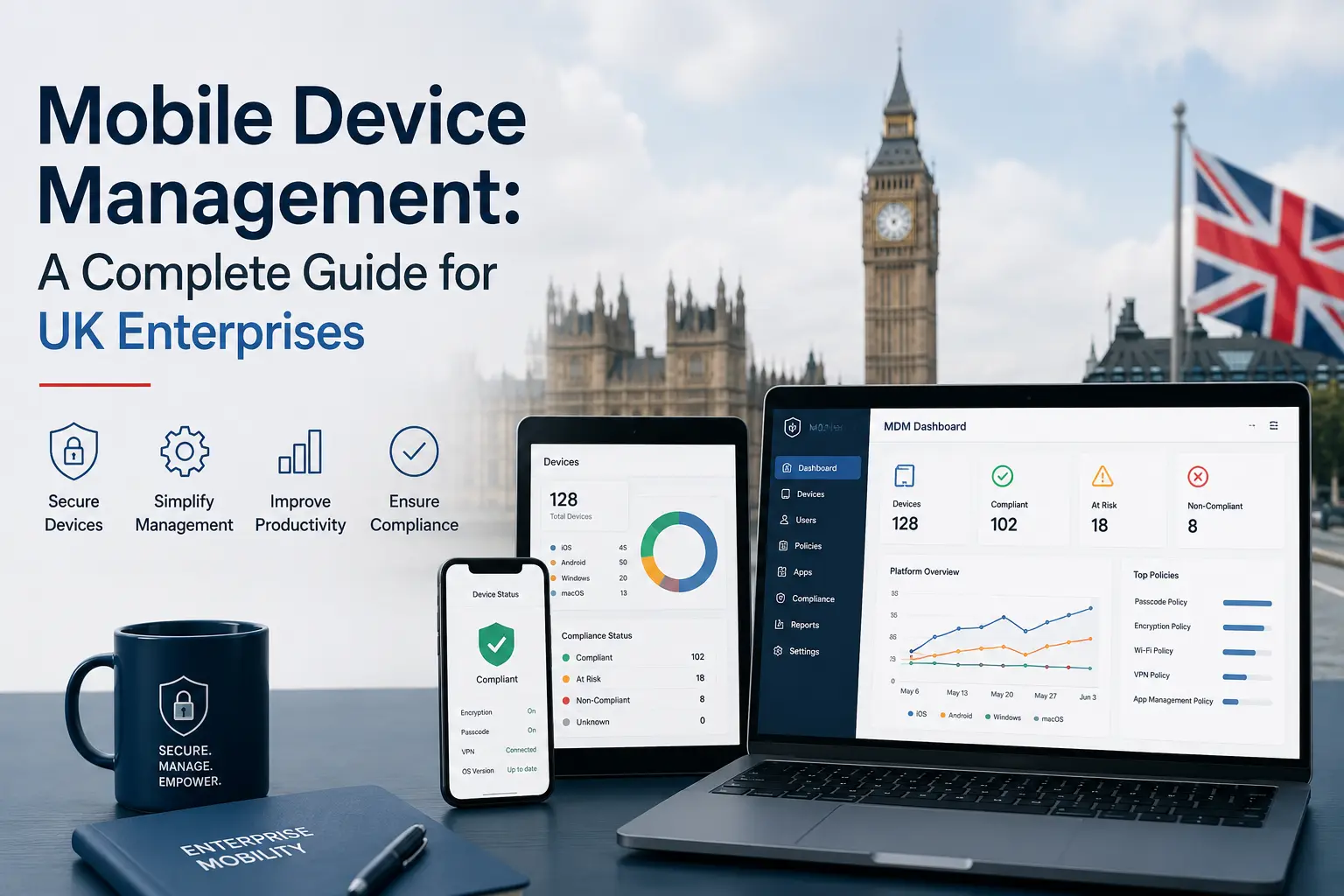
UK businesses are estimated to manage approximately 48 million mobile devices in 2026, with mobile fleet management adoption growing at around 18% year-on-year. That is not a niche IT concern — it is a significant operational and commercial reality for every mid-market and enterprise organisation running a distributed workforce on corporate devices.
Yet despite that scale, mobile device management — MDM — is still treated as an afterthought in many UK businesses. Devices are issued without enrolment, policies are informal or unenforced, and end-of-life processes are improvised rather than planned. The result is a combination of security exposure, compliance risk, and significant financial leakage that accumulates quietly over time.
This guide is written for IT Directors, IT Asset Managers, and Procurement leads who want a clear, practical understanding of what MDM is, how it works, and how to build a programme that goes beyond basic device control. We will cover the regulatory environment that makes MDM non-negotiable for UK businesses, how to approach BYOD policies, what operational fleet management looks like at scale, and — critically — how a mature MDM strategy connects directly to device lifecycle planning, data security at end-of-life, and the recovery of residual device value. Think of this as the complete picture, from first enrolment to final disposal.
What Is Mobile Device Management (MDM)?
At its core, MDM is a system that enables organisations to enrol, configure, secure, monitor, and remotely wipe devices from a central console. Rather than managing each device individually, IT teams use an MDM platform to apply policies, push applications, enforce security settings, and maintain visibility across an entire fleet — whether that fleet is 20 devices or 2,000.
MDM applies most commonly to smartphones and tablets, but the scope has expanded considerably in recent years. Laptops, shared-use kiosks, and even IoT endpoints are increasingly managed through the same frameworks, reflecting the reality that the modern corporate device estate is far more varied than a simple fleet of company phones.
MDM vs UEM — What Is the Difference?
The terminology in this space can be confusing, so it is worth distinguishing between MDM and Unified Endpoint Management (UEM). Traditional MDM focused specifically on mobile devices — enrolling handsets, enforcing passcodes, enabling remote wipe. UEM expands that scope to cover laptops, desktops, IoT devices, and other endpoints within a single management framework.
This shift reflects the reality of hybrid working environments, where an employee might use a corporate smartphone, a personally owned laptop, and a shared tablet within the same working day. For larger organisations, UEM represents the natural evolution of MDM. For the purposes of this guide, the term “MDM” refers to the broader practice of managing corporate mobile devices, even where UEM terminology may technically apply to your environment.
How MDM Works — Core Capabilities
Understanding what MDM actually does in practice is useful for any IT lead evaluating platforms or building a business case for investment. The core capabilities typically include the following.
Device enrolment is the process by which a device is brought under management. This can be done manually for small batches, via QR code or token-based provisioning, or at scale through zero-touch enrolment frameworks such as Android Enterprise, Apple Business Manager, or Windows Autopilot. Once enrolled, a device is associated with a user or group and becomes subject to the policies applied to that profile.
Policy configuration and enforcement is where the practical control sits. IT teams can define requirements such as minimum passcode complexity, screen lock timers, app whitelists or blacklists, Wi-Fi profiles, and email access controls. These policies are enforced continuously, not just at the point of enrolment.
Remote lock, wipe, and locate are the capabilities most commonly associated with MDM, and they remain important — particularly for lost or stolen devices. A remote wipe can remove all corporate data from a device without physical access to the handset.
Application management and software distribution allows IT teams to push approved applications to devices silently, in bulk, and without requiring user action. This applies to both corporate apps and security-critical updates.
Inventory and asset tracking gives IT teams a live view of every enrolled device: model, OS version, last check-in, assigned user, and condition data. This is foundational for lifecycle planning and compliance reporting.
Audit log capabilities record policy changes, device events, and administrative actions. These logs are increasingly important for demonstrating compliance to regulators and internal stakeholders.
Why MDM Matters for UK Enterprises
MDM is not a nice-to-have. For any UK business managing a significant number of mobile devices, it is core infrastructure — as fundamental as a firewall or an identity management system. The case for it rests on three pillars: security, regulatory compliance, and operational control.
Protecting Corporate Data on Mobile Devices
Enterprise smartphones and tablets routinely carry sensitive data. Emails, login credentials, CRM records, financial documents, and personal data belonging to customers or employees all move through corporate devices every day. Without MDM, the controls governing that data are informal at best.
The threat landscape is well understood: lost or stolen devices, access via unsecured public Wi-Fi, malicious applications installed outside managed app stores, and phishing attacks targeting mobile users. MDM mitigates these risks through encryption enforcement, conditional access policies that block non-compliant devices from reaching corporate resources, and remote wipe capabilities for devices that are lost or compromised.
One risk that is frequently underestimated is the persistence of data on devices approaching end-of-life. A handset that is broken, non-functional, or simply retired and sitting in a drawer may still contain accessible data. The ICO’s guidance is explicit on this point: data must be irrecoverable even by specialists before a device is disposed of or repurposed. MDM supports this requirement — but as we will discuss later in this guide, it does not replace the need for certified data destruction at end-of-life.
UK Regulatory Compliance — What MDM Helps You Meet
The UK regulatory environment creates specific, legally enforceable obligations for businesses managing personal or sensitive data on mobile devices. Understanding where MDM fits within that framework is essential for any IT team that may face a regulatory enquiry or an ICO audit.
UK GDPR and the Data Protection Act 2018 require organisations to ensure the secure erasure or destruction of personal data before a device is disposed of or reused. The ICO is clear that this standard means the data must be irrecoverable — not merely deleted in the conventional sense. MDM-integrated workflows, particularly those that enforce device encryption and support factory reset processes, contribute to this obligation, but certified disposal processes provide the evidential standard required for compliance.
The Data (Use and Access) Act, which came into effect on 19 June 2025, is prompting updates to data handling and deletion guidance across the industry. IT teams should treat this as an evolving area and ensure their MDM policies and disposal workflows are reviewed against current ICO guidance rather than legacy assumptions.
The NCSC’s guidance on secure sanitisation of storage media is directly relevant to any organisation disposing of, redeploying, or trading in mobile devices. The NCSC requires that devices be securely erased before reuse or destruction, and recommends processes that align with recognised industry standards.
WEEE Regulations classify any device a business discards as electronic waste unless it meets strict reuse criteria. This has direct implications for how organisations must handle retired devices and which service providers they can legally use for disposal. We will return to this in detail later in the guide.
Taken together, these frameworks make MDM the system of record that generates the audit trail an organisation needs to demonstrate compliance. Without MDM maintaining accurate device inventories and tracking device status through to end-of-life, demonstrating accountability for every device is extremely difficult.
Building a BYOD Policy That Actually Works
Bring Your Own Device programmes are common across UK SMBs and mid-market organisations, often adopted informally because they reduce procurement costs and align with employee preferences. But BYOD introduces significant complexity around data governance, privacy, and end-of-life responsibilities that many organisations have not fully addressed.
The fundamental tension in BYOD is straightforward: corporate data sits on personal hardware, and managing that data requires a degree of control over a device that the employee owns. Get the balance wrong in either direction — too little control, or too much — and you create either a security and compliance gap, or an employee relations problem.
MDM platforms address this through two main approaches. The first is **containerisation**, which creates a secure, encrypted workspace on the device that separates corporate data and applications from personal content. IT teams manage the container but have no visibility into or control over the personal side of the device. The second is **MAM-only** (Mobile Application Management without full device enrolment), which manages specific corporate applications without enrolling the device itself — a lighter-touch model appropriate for lower-risk use cases.
For IT leads building or formalising a BYOD policy, the key questions to answer are: which devices and operating system versions are eligible; what corporate data and systems can be accessed from personal devices; what the process is when an employee leaves the organisation and corporate data must be removed; and how those processes are documented to demonstrate GDPR compliance.
The last point is particularly important. The obligation to erase personal data from a device on an employee’s departure applies regardless of who owns the hardware. A BYOD policy that does not include a documented, enforceable off-boarding process for data removal is a compliance gap.
BYOD vs Corporate-Owned Devices — Choosing the Right Model
For organisations weighing BYOD against a corporate-owned device programme, the trade-offs are worth understanding clearly. Corporate-owned devices offer full MDM control, a simpler compliance posture, and a cleaner audit trail at every stage of the device lifecycle. The trade-offs are higher upfront procurement costs and the organisation’s direct ownership of end-of-life obligations — data destruction, WEEE compliance, and any associated disposal costs.
BYOD lowers the procurement burden and is often preferred by employees. The complexity sits in data governance and exit workflows, which require more sophisticated MDM policies and more careful documentation. The device ownership model also has direct implications at end-of-life: on a corporate device, the IT team controls every stage of decommissioning; on a personal device, the process depends on the employee’s cooperation and the mechanisms put in place at enrolment.
Neither model is universally correct. The right choice depends on the risk appetite, workforce profile, and compliance requirements of the specific organisation.
Managing a Corporate Mobile Fleet at Scale
Policy and architecture decisions matter, but the practical challenge of MDM is operational: how do you actually manage a fleet of 100, 200, or 500-plus devices day-to-day, while keeping the fleet secure, compliant, and properly documented? Fleet management complexity scales non-linearly. Twenty devices is manageable with informal processes; 200 is not.
Device Enrolment and Provisioning at Scale
For larger fleet deployments or device refresh cycles, manual enrolment is simply not viable. Zero-touch enrolment frameworks — Android Enterprise, Apple Business Manager, and Windows Autopilot — allow devices to be preconfigured and enrolled automatically from the point of first activation, without IT intervention at the device level. The device is associated with the organisation’s MDM platform before it ever reaches the end user.
For smaller batches or deployments where zero-touch is not feasible, QR code and token-based provisioning options provide a faster alternative to manual configuration. Across all methods, the use of policy templates and configuration profiles is essential for standardising device setup. Rather than configuring each device individually, IT teams apply a profile that enforces a consistent baseline across the fleet.
Efficient provisioning at the start of a device’s life also makes lifecycle tracking and end-of-life management significantly easier. A device that is enrolled correctly from day one, with accurate asset records maintained throughout its working life, is a device that can be decommissioned cleanly and traded in at maximum value.
Ongoing Device Monitoring and Compliance Enforcement
MDM is not a set-and-forget investment. Maintaining a secure and compliant fleet requires continuous monitoring and active management between refresh cycles.
Continuous compliance monitoring detects devices that have fallen out of policy — those running outdated operating systems, handsets that have been jailbroken or rooted, or devices that have not checked in within a defined period. Automated remediation policies can be configured to respond to these conditions without manual intervention, for example by blocking network access until a device is updated or returns to compliance.
Software and patch distribution across the fleet is one of the most operationally valuable MDM capabilities. Rather than relying on users to apply updates, IT teams can push OS patches and application updates silently and at scale. Asset inventory management — maintaining an accurate, live record of every device, its assigned user, its OS version, and its condition — is the foundation on which everything else depends. Without it, lifecycle planning, compliance reporting, and end-of-life management all become significantly harder.
Remote Working and Distributed Fleet Management
The shift to hybrid working has made MDM both more important and more operationally demanding. When devices are rarely on a corporate network, the traditional model of managing endpoints within a secure perimeter no longer applies.
Conditional access policies and zero-trust frameworks are the appropriate response. Rather than trusting any device that is physically connected to the office network, zero-trust models verify identity and device compliance at the point of every access request, regardless of location. MDM is the tool that enforces the device-side requirements of this model — ensuring that only enrolled, compliant, and up-to-date devices can reach corporate applications and data.
Remote lock, locate, and wipe capabilities are particularly important for field-based or remote workforces, where a lost or stolen device may not be physically recoverable. The ability to trigger a remote wipe immediately — without waiting for the device to appear on a corporate network — is a meaningful risk mitigation for any organisation with employees working outside a fixed office environment.

Device Refresh Cycles, Lifecycle Planning, and Upgrade Strategy
MDM is most commonly understood as a security tool, but its role in lifecycle planning and commercial fleet management is equally important. Industry data shows that device upgrade cycles are shortening, driven in part by the emergence of AI-enabled smartphones and the competitive pressure to keep workforces equipped with capable, supported hardware. That trend increases both the operational complexity of device refresh and the financial opportunity it represents.
Well-managed devices — those that are properly enrolled, maintained, and appropriately reset — command higher trade-in valuations than poorly documented fleet assets. With tens of millions of enterprise devices in circulation, small inefficiencies in lifecycle management represent substantial financial leakage across the market.
When to Refresh — Signs Your Fleet Is Due for an Upgrade
Knowing when a device refresh is needed — at the individual device or fleet level — requires data that only consistent MDM management can provide. The key indicators include the following.
OS end-of-support dates are the most critical trigger. Once a device’s operating system is no longer receiving security updates, it represents an active vulnerability and, in many MDM frameworks, will fail compliance checks. A fleet running end-of-life OS versions is a security and audit problem.
Battery degradation and hardware failure rates become visible through MDM health data and support ticket patterns. When a significant proportion of the fleet is experiencing battery or hardware issues, the cost-of-support analysis typically favours replacement over repair.
Compatibility with newer MDM capabilities is a less obvious but increasingly relevant factor. Android Enterprise Recommended status, Apple DEP requirements, and evolving zero-touch enrolment frameworks can all create situations where ageing devices simply cannot be managed to the required standard.
Residual Value and the Business Case for Timely Trade-In
One of the most underappreciated aspects of corporate fleet management is the residual value sitting in devices that are approaching or past their refresh date. Well-managed devices in good condition retain significantly higher trade-in value than those that have been sitting unused in a storage cupboard for six months.
The stockpiling problem is common in mid-market organisations. Devices accumulate after a refresh cycle because of uncertainty around data wiping, WEEE compliance, and disposal logistics. The result is a gradual erosion of recoverable value and an increasing e-waste liability. Addressing this requires a planned end-of-life workflow — not a reactive scramble when the storage cupboard is full.
Shorter upgrade cycles increase trade-in volumes and residual value recovery potential, particularly when devices are well-documented via MDM and returned promptly at end-of-life. The combination of accurate asset records, consistent device condition, and timely disposal is what separates a financially disciplined fleet programme from one that routinely leaves money on the table.
Secure Data Erasure — The Critical Step Before Any Device Leaves the Business
Whatever else a device lifecycle programme achieves, the data security obligations at end-of-life are non-negotiable. The ICO is explicit: data on a device must be irrecoverable, even by specialists, before that device is disposed of, traded in, or repurposed. This applies even to devices that are broken or non-functional — a damaged screen does not mean inaccessible data.
MDM remote wipe is a useful capability for lost or stolen devices, but it is not sufficient for enterprise-grade disposal. The distinction matters: a remote wipe resolves the immediate access risk, but it does not produce the independently auditable, certifiable evidence of data destruction that an organisation needs for regulatory compliance.
Remote Wipe vs Certified Data Destruction — What Is the Difference?
A remote wipe initiated through an MDM platform is fast, does not require physical access to the device, and is appropriate for addressing lost or stolen handsets in the field. It is a security response tool. What it does not produce is a documented, certifiable record of the destruction process that would withstand scrutiny in a data breach investigation or an ICO audit.
Certified data destruction — conducted to NIST, ADISA, and GDPR-aligned standards — goes further. The process is independently verified, documented, and produces a Certificate of Destruction as evidence of compliance. Importantly, certified erasure followed by device reuse typically delivers better outcomes across both compliance and sustainability dimensions than physical destruction. Physical destruction of devices eliminates any possibility of reuse, increases Scope 3 carbon emissions, and is often unnecessary where certified erasure can achieve the required standard of data irrecoverability.
What a Certificate of Destruction Actually Proves
Many IT leads know they need a Certificate of Destruction but are less clear on what it should contain, and why the specific content matters legally.
A valid Certificate of Destruction documents the device identifiers — IMEI and serial number — the date of destruction, the method used, the standard complied with (such as ADISA or NIST 800-88), and the certifying organisation’s details including their waste carrier registration. This is the document an organisation would need to produce in the event of a data breach investigation, a WEEE audit, or an ICO enquiry.
The strength of that document depends directly on the quality of the asset records maintained upstream. Organisations with accurate MDM inventories are in a significantly stronger position to account for every device at end-of-life. A Certificate of Destruction for a device that cannot be matched to an asset record creates an audit gap, not a clean one.
End-of-Life Device Management — WEEE, Trade-In, and ESG Obligations
Responsible end-of-life device management is not a single obligation — it sits at the intersection of legal requirements, commercial recovery, and sustainability commitments. In practice, these dimensions are often managed in fragmented ways across IT, procurement, and sustainability teams, and that fragmentation creates both risk and inefficiency.
UK WEEE Obligations — What Businesses Must Know
Under the WEEE Regulations, any device a business discards is legally classified as waste unless it meets strict criteria for reuse: the device must be fit for reuse with minimal repair, there must be a clear intention for reuse, and a valid market for the device must exist. For most retired corporate devices, that threshold is met only when a structured trade-in or refurbishment process is in place.
Businesses are legally required to ensure proper collection, treatment, recovery, and environmentally sound disposal of WEEE through approved schemes. Using an unregistered or informal disposal route does not transfer that liability — it concentrates it entirely with the originating business. Organisations should work only with providers who are registered with the UK Environment Agency as waste carriers, brokers, and dealers. iGo Trade In holds Upper Tier registration with the Environment Agency in all three of those categories, providing the legal foundation for compliant device disposal.
The ESG Case for Device Trade-In and Reuse
The sustainability dimensions of device disposal are increasingly relevant for organisations with ESG commitments — and increasingly scrutinised by boards, investors, and clients.
Every device carries a carbon footprint that accumulates across production, use, and disposal phases. The manufacturing stage is typically the most carbon-intensive. When a device is disposed of and replaced rather than reused, that embedded carbon is effectively written off. Research into remanufactured computing hardware illustrates the scale of the opportunity: remanufactured laptops, for example, have been shown to produce approximately 6% of the CO₂ of new devices. The principle applies across the mobile device category.
Secure erasure followed by reuse typically delivers better outcomes across both compliance and carbon dimensions than physical destruction. An increasing number of organisations are now expected to track and report e-waste diversion and carbon savings from reuse as part of their wider ESG disclosures. The ESG output of any device lifecycle programme is only as strong as the end-of-life process that underpins it.
How iGo Trade In Supports ITAD and ESG at the End of the Device Lifecycle
For IT teams looking to close the loop between MDM-managed fleet retirement and compliant, value-recovering device disposal, iGo Trade In provides a structured B2B solution built specifically for this purpose.
The process is straightforward. Businesses input their devices via a self-service portal and receive instant valuations. iGo handles collection — via dedicated van for larger fleet retirements or pre-paid courier boxes for smaller batches — and every device goes through certified data destruction aligned with NIST, ADISA, ISO, and GDPR requirements. After quality assessment and certified erasure, businesses receive payment within 14 days, a Certificate of Destruction for every device, and an ESG impact report documenting carbon savings and e-waste diversion metrics.
Devices that are fit for reuse are refurbished and resold, extending their useful life and reducing the carbon impact of replacement. Devices that cannot be reused are responsibly recycled through iGo’s zero-landfill process. The result is a single, auditable end-of-life workflow that satisfies legal, financial, and ESG obligations simultaneously — without requiring IT teams to coordinate across multiple suppliers or manage compliance documentation independently.
For organisations managing the full device lifecycle from procurement through to disposal, iGo Life’s broader ecosystem includes iGo Fulfilment for wholesale refurbished hardware, iGo Recycle for secure collection and responsible disposal, and iGo Bespoke for customised accessory bundles — covering every stage of the device lifecycle in a single relationship.
Making MDM Work for the Whole Lifecycle
Mobile device management has matured from a security tool into something more comprehensive: a control layer for the full device lifecycle, from provisioning through daily operations to end-of-life decommissioning. For UK enterprises managing fleets of any meaningful size, that shift in perspective is overdue.
The practical implications are significant. A fleet that is well-enrolled, consistently monitored, and documented accurately through MDM is not just more secure. It is more compliant, more resilient under audit, and more commercially valuable at the point of disposal. The asset records maintained through MDM are the same records that support a clean Certificate of Destruction, a credible ESG report, and a timely trade-in at maximum residual value.
If your organisation is approaching a device refresh cycle, managing an inherited fleet with inconsistent enrolment, or looking to bring structure to an informal BYOD programme, the starting point is the same: understand what you own, know where it is, and have a clear plan for what happens when it leaves the business.
To explore how iGo Trade In can support your next device retirement — with instant valuations, certified data destruction, and ESG reporting included — visit igotradein.co.uk or get in touch via the iGo Life contact form.
